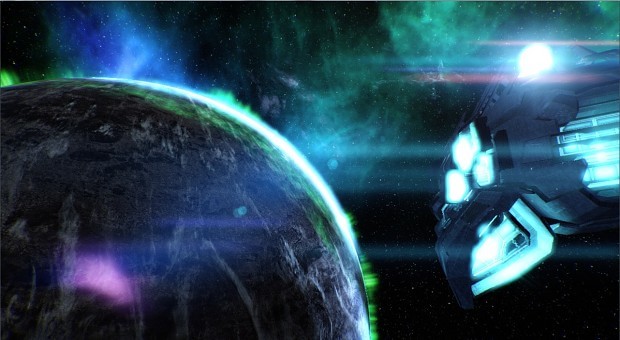
Gavin Li – Environment Concept Art showcase

Hey guys!

My art director told me to stop playing with my crayons and let you guys know what’s going on. I’m the concept artist at Flix Interactive hence the crayons (to stab people with) so my job traditionally starts early on in the game’s life cycle with broad concepts that help refine the scope of what the leads have in mind. Then throughout production of the game we may discover features that deserve exploration and a place in the final product.
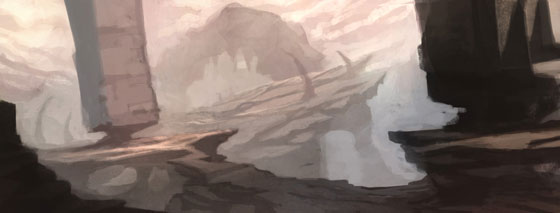
eden star environment sketch

When any of the team suggest ideas that are approved, it’s part of my responsibility to help flesh out those ideas by narrowing down the possible visual paths we can take it down, helping to iron out as many problems as I can with it from an artistic point of view.
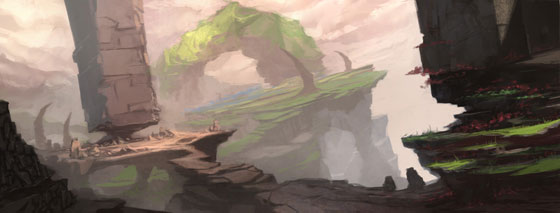
eden star environment sketch

Having ‘thumbnails’ like these help to make it more efficient for the team to gauge and decide on a visual direction so we can look at building a unified look to the game with the help of Matt keeping a lid on my crayons when I go a bit too mad with them.
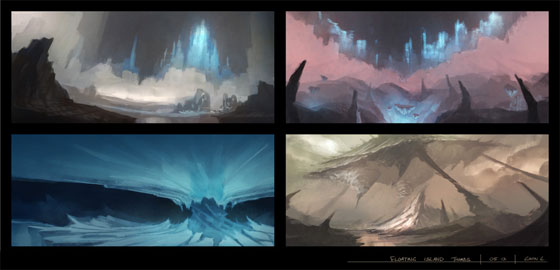
eden star environment sketches

Because we’re building an alien world where we want the players to feel awesome, we’re not aiming for anything annoyingly foreign. For example, spaces that’ll make them experience constant claustrophobia or architecture or formations that are uncomfortable to look at will just throw the attention of the player’s experience the wrong way – not so awesome unless a part of the game intends that.
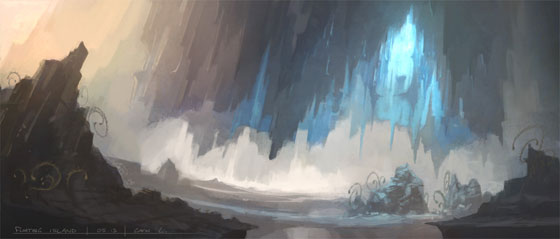
eden star environment sketch

The concept art can help get people’s imaginations going so the final environments might not look exactly like the initial concepts.
So there it is! Thanks for watching us guys! Enjoy the upcoming content and perhaps we’ll see some of you at Eurogamer!
p.s. I heard your prayers Ghost59! So a speed paint will be in the works as soon as things calm down a bit more. If it doesn’t calm down though we’ll be able to release exciting updates about the game so PEACEOUTDOORSLAM! *door is awkwardly opening again*

Gavin L.
Demo nearly done, just a few bugs left to squash…

Despite our focus on other projects here at Flix, the combat demo for Eden Star is closing on a release. So we thought we’d share one of our testers bug videos, because why not right?

Everyone is having a blast testing the demo at the moment… However, we are sorry to say that this bug is definitely not a feature.

Keep an eye on this space for more information about a realease date!

( I do have to apologise about the video resolution as well. Some bugs are very spur of the moment, and in those moments it doesn’t make much sense to be recording at 1080 or 720p ;D )

De-materialisation (Behind the Scenes VFX part 2)

Hello everyone! Marcin Dudkowski here again. Last time I posted, I talked about my visual effects compositing pipeline. Today I have more behind the scenes information and also something interesting to show you.

Do you remember the IKA Alien from our previous post? It has been mentioned that it feeds on matter. More to the point, in Eden Star you, as a player, will also be able to de-materialise objects , although for a different purpose. One of my responsibilities at Flix Interactive is to make sure this process looks powerful and beautiful. Here is a prototype:

To keep true to the “behind the scenes” promise, I am going to explain how this effect is created and controlled. At the very core of it lies a synergy of lights, particle systems and animated materials. The latter is built upon a system of masks, which I want to talk about. I am going to get quite technical from this point on. Tread carefully!

flix editor

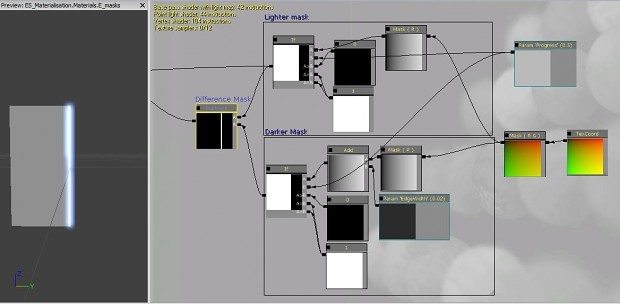
The image above depicts Unreal3’s material editor with the aforementioned functionality stripped to bare minimum for better understanding. To produce required monochromatic masks I am comparing a simple black to white gradient texture against a 0 to 1 parameter (here called “Progress”). The “If” nodes then translate them into pure white on the left of the point where the parameter is of equal value to the gradient, and pure black on the right.

By adding a tiny value (“EdgeWidth”=0.02) to one of the gradient instances I am able to produce a “Darker Mask” with a small offset. I can then extract said offset by subtracting one mask from the other. From this point I have a set of textures I can use to create a glowing disintegration edge, and to turn any object fully visible on one and fully invisible on the other side of it.

Now, changing the values of the “Progress” parameter would visually wipe the entire material into the strangulating clutches of nothingness… ehkm, in an organized and orderly fashion. However, using a more erratic texture instead of a simple gradient will produce more interesting results. From this point, all that is left is adding a bunch of embers, glow-dust, lights, god-rays etc. and the effect is ready.

This concludes my mini-tutorial on the disintegration effect for Eden Star. I had to keep it rather short, but I hope at least some of you found it enlightening. Sharing my knowledge has always brought me great pleasure, so if you guys have any questions about visual effects in general, please do not hesitate to ask me. I will respond to everyone. Let’s fill this comment section below.

Thanks for reading! I am leaving you with an image update on my work on the scene I showed you in my last post. Till next time!

eden star space
   Funded by
   Supported by
   Led by

Eden Star is a product of the GamesLab West Midlands programme, developed by Creative England and supported by the Regional Growth Fund.

made with